
Help / Guide
Check a vehicle
Eight careful steps for a safely parked vehicle, from a Bluetooth baseline to physical checks and review.
In the app
What it looks like
Start with safety Vehicle landing example Guided exterior example Vehicle interior Exterior observations Wheel-arch example
Illustrates vehicle screens; the written steps on this page take precedence.
Screens show example data, and some may differ slightly from the current version of the app.
STEP 1
Start with safety
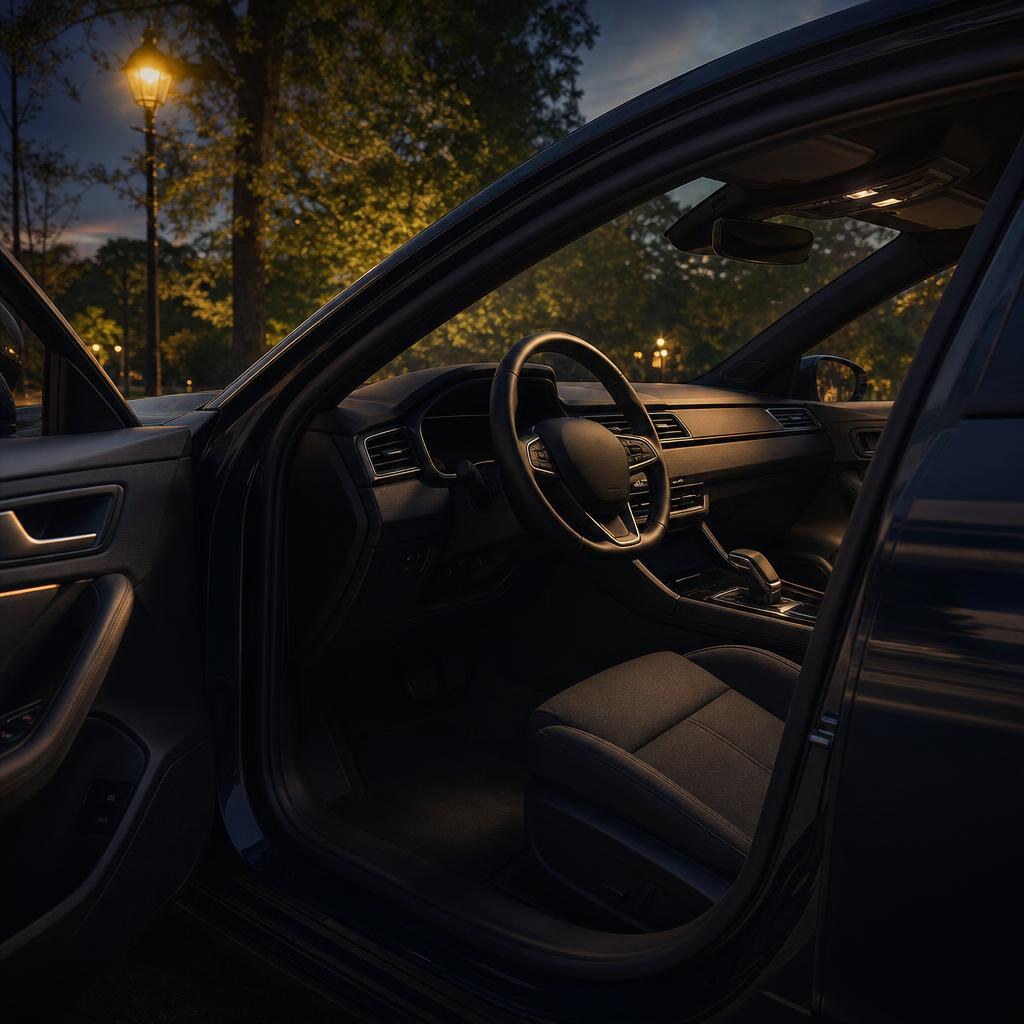
Photographic vehicle example: inspect only when safely parked and where access is authorised.
Read every step
- Start with safety
From Check My Vehicle, park safely and switch off before starting. Do not inspect moving parts, crawl under an unsecured vehicle, or interfere with safety-critical systems.
Expected next state: A stationary, switched-off vehicle and a safe place to work—or a decision to postpone the check.
- Ignition-off Bluetooth baseline
With the vehicle safely parked and ignition off, record the initial Bluetooth observations. Ordinary nearby electronics may appear; names and signal strength do not identify a tracker.
Expected next state: An ignition-off Bluetooth baseline to compare with the later accessory-power check.
- Check for magnetic changes outside
Compare accessible exterior areas with surrounding metal, magnets and electronics in mind. Magnetic response is a clue, not tracker identification.
Expected next state: Notes about magnetic changes at accessible exterior areas, with surrounding metal and magnets considered.
- Accessory-on Bluetooth comparison
Only while safely stationary and where safe for your vehicle, compare Bluetooth observations with accessory power on against the ignition-off baseline. A difference does not prove surveillance. Do not start driving or inspect moving components.
Expected next state: A comparison with your ignition-off baseline, or a note that accessory-power comparison was unsafe or skipped.
- Optional Wi-Fi check
Optionally observe nearby Wi-Fi access-point broadcasts. These observations are distinct from devices on an authorised connected LAN and cannot prove surveillance.
Expected next state: Nearby Wi-Fi observations if you chose this optional stage, or a clear record that it was skipped.
- Check inside your vehicle
Inspect accessible interior areas without dismantling components or handling a suspected device. Seats, compartments and visible wiring may provide context, not a verdict.
Expected next state: Notes on seats, compartments and visible wiring inspected, including any areas you could not safely reach.
- Check outside your vehicle
Review safely accessible exterior areas, including wheel arches, without getting under an unsecured vehicle or disturbing safety-critical components.
Expected next state: A record of safely inspected exterior areas and anything left unchecked.
- Findings, limitations & report
Go back over what you found and any areas you skipped, then save it or export a PDF report. A quiet result is reassuring, not a guarantee.
Expected next state: The recorded evidence and gaps together, ready for review or a supported export—not a clearance certificate.
- 1
Start with safety
Photographic vehicle example: inspect only when safely parked and where access is authorised.
Do this. From Check My Vehicle, park safely and switch off before starting. Do not inspect moving parts, crawl under an unsecured vehicle, or interfere with safety-critical systems.
Then you should have. A stationary, switched-off vehicle and a safe place to work—or a decision to postpone the check.
- 2
Ignition-off Bluetooth baseline
Photographic vehicle example: inspect only when safely parked and where access is authorised.
Do this. With the vehicle safely parked and ignition off, record the initial Bluetooth observations. Ordinary nearby electronics may appear; names and signal strength do not identify a tracker.
Then you should have. An ignition-off Bluetooth baseline to compare with the later accessory-power check.
- 3
Check for magnetic changes outside

Illustrative photographic example: wheel-arch bodywork. Look from a safe position; do not crawl beneath an unsecured vehicle.
Do this. Compare accessible exterior areas with surrounding metal, magnets and electronics in mind. Magnetic response is a clue, not tracker identification.
Then you should have. Notes about magnetic changes at accessible exterior areas, with surrounding metal and magnets considered.
- 4
Accessory-on Bluetooth comparison
Photographic vehicle example: inspect only when safely parked and where access is authorised.
Do this. Only while safely stationary and where safe for your vehicle, compare Bluetooth observations with accessory power on against the ignition-off baseline. A difference does not prove surveillance. Do not start driving or inspect moving components.
Then you should have. A comparison with your ignition-off baseline, or a note that accessory-power comparison was unsafe or skipped.
- 5
Optional Wi-Fi check
Photographic vehicle example: inspect only when safely parked and where access is authorised.
Do this. Optionally observe nearby Wi-Fi access-point broadcasts. These observations are distinct from devices on an authorised connected LAN and cannot prove surveillance.
Then you should have. Nearby Wi-Fi observations if you chose this optional stage, or a clear record that it was skipped.
- 6
Check inside your vehicle
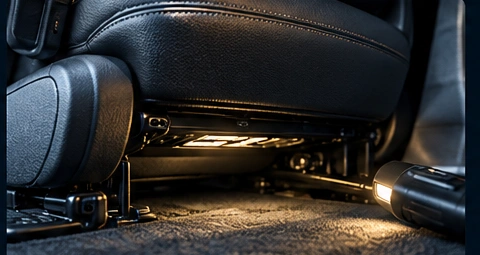
Illustrative photographic example: an accessible under-seat area. Ordinary fittings are not evidence of a tracker.
Do this. Inspect accessible interior areas without dismantling components or handling a suspected device. Seats, compartments and visible wiring may provide context, not a verdict.
Then you should have. Notes on seats, compartments and visible wiring inspected, including any areas you could not safely reach.
- 7
Check outside your vehicle
Illustrative photographic example: wheel-arch bodywork. Look from a safe position; do not crawl beneath an unsecured vehicle.
Do this. Review safely accessible exterior areas, including wheel arches, without getting under an unsecured vehicle or disturbing safety-critical components.
Then you should have. A record of safely inspected exterior areas and anything left unchecked.
- 8
Findings, limitations & report
Illustrative photographic example: an accessible under-seat area. Ordinary fittings are not evidence of a tracker.
Do this. Go back over what you found and any areas you skipped, then save it or export a PDF report. A quiet result is reassuring, not a guarantee.
Then you should have. The recorded evidence and gaps together, ready for review or a supported export—not a clearance certificate.