Help / Guide
A tool is not working
A simple way to check support, connection and context without guessing at app controls.
STEP 1
Check the tool is supported
Illustrative photographic example: ordinary bedside electronics. Their appearance does not establish what signals they emit.
Read every step
- Check the tool is supported
Check your phone’s sensors, Android support and any required accessory before assuming a tool will work. Support varies by handset.
Expected next state: You have distinguished unsupported hardware from a possible fault.
- Review access and connection
Review any relevant device permissions and required connection against the instructions for your actual Android release. Do not grant permissions merely because a generic guide suggests them.
Expected next state: You have checked applicable instructions without following invented button names.
- Consider the surroundings
For network and Bluetooth observations, consider isolation, offline devices, distance and obstacles. Nothing appearing is not confirmation that an area is clear.
Expected next state: You have considered ordinary visibility limits.
- Get support or make a privacy request
For support, privacy enquiries or data-deletion requests, email contact@valescan.app. Only the owner accesses this mailbox. We aim to reply within 3 working days, not as a guarantee or a substitute for any applicable statutory timeframe. Support emails and evidence are retained only as necessary to handle the enquiry and satisfy applicable legal obligations, using enquiry status, purpose and statutory requirements, then deleted or anonymised when no longer needed; this is not an automatic-deletion promise. For app support, describe the tool, Android/app version and what happened; leave out precise locations, private findings and sensitive incident details.
Expected next state: You have the confirmed contact route. The Contact page opens your email app; the website does not receive or store the email. The owner’s mailbox receives it.
- Check current app availability
ValeScan is for Android (Google Play) and iPhone (App Store). The download buttons on the Home and Product pages show which stores it’s live on right now. The 60-second Quick Sweep is free; the full app is a subscription with a free trial, or a one-off lifetime purchase.
Expected next state: Where to download ValeScan and when the iPhone version is coming.
- 1
Check the tool is supported
Illustrative photographic example: ordinary bedside electronics. Their appearance does not establish what signals they emit.
Do this. Check your phone’s sensors, Android support and any required accessory before assuming a tool will work. Support varies by handset.
Then you should have. You have distinguished unsupported hardware from a possible fault.
- 2
Review access and connection
Illustrative photographic example: ordinary bedside electronics. Their appearance does not establish what signals they emit.
Do this. Review any relevant device permissions and required connection against the instructions for your actual Android release. Do not grant permissions merely because a generic guide suggests them.
Then you should have. You have checked applicable instructions without following invented button names.
- 3
Consider the surroundings
Illustrative photographic example: ordinary bedside electronics. Their appearance does not establish what signals they emit.
Do this. For network and Bluetooth observations, consider isolation, offline devices, distance and obstacles. Nothing appearing is not confirmation that an area is clear.
Then you should have. You have considered ordinary visibility limits.
- 4
Get support or make a privacy request
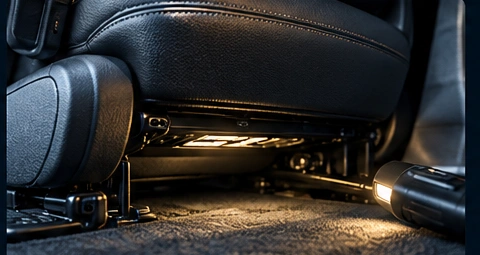
Illustrative photographic example: an accessible under-seat area. Ordinary fittings are not evidence of a tracker.
Do this. For support, privacy enquiries or data-deletion requests, email contact@valescan.app. Only the owner accesses this mailbox. We aim to reply within 3 working days, not as a guarantee or a substitute for any applicable statutory timeframe. Support emails and evidence are retained only as necessary to handle the enquiry and satisfy applicable legal obligations, using enquiry status, purpose and statutory requirements, then deleted or anonymised when no longer needed; this is not an automatic-deletion promise. For app support, describe the tool, Android/app version and what happened; leave out precise locations, private findings and sensitive incident details.
Then you should have. You have the confirmed contact route. The Contact page opens your email app; the website does not receive or store the email. The owner’s mailbox receives it.
- 5
Check current app availability
Illustrative photographic example: ordinary bedside electronics. Their appearance does not establish what signals they emit.
Do this. ValeScan is for Android (Google Play) and iPhone (App Store). The download buttons on the Home and Product pages show which stores it’s live on right now. The 60-second Quick Sweep is free; the full app is a subscription with a free trial, or a one-off lifetime purchase.
Then you should have. Where to download ValeScan and when the iPhone version is coming.